
AI + Content
How to Use AI for Captions, Hooks, and Content Ideas.
AI can help with captions, hooks, and content ideas, but only if you give it enough context and still use human taste before anything gets posted.
By Maverick Beach / June 10, 2026
This guide combines source-backed context with Maverick Beach Creative’s working approach to planning and producing small-business content.
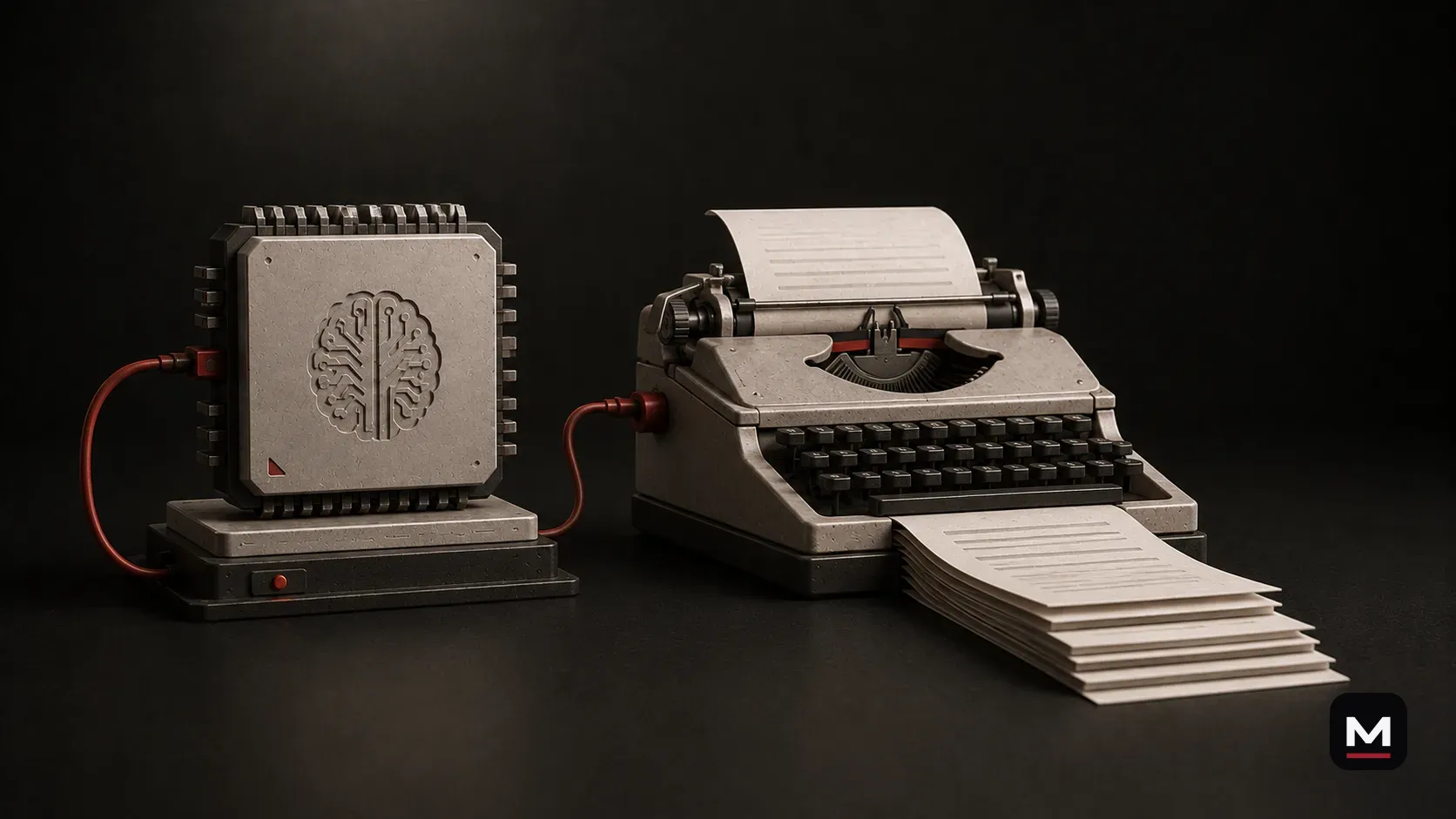
AI can help you write captions.
AI can help you find hooks.
AI can help you come up with content ideas.
But it can also make your business sound exactly like every other business using the same lazy prompt.
That is the risk.
A lot of small businesses open ChatGPT, Claude, Gemini, or whatever tool they use and type something like: “Write an Instagram caption.” Then they wonder why the result sounds fake.
The problem is not always the AI. The problem is that the AI was given almost nothing to work with.
If you want useful captions, hooks, and content ideas, stop treating AI like a magic caption machine and start treating it like a tool that needs direction.
AI can save a ton of time. But it still needs context, taste, and a human final pass.
This is where AI is right now.
This article is about where AI is right now, in 2026.
The tools are moving fast. AI is getting better at writing, organizing, editing, research, images, video, voice, planning, and automation quickly.
But right now, the practical truth is simple.
AI is good at drafts, options, organizing messy thoughts, turning one idea into multiple angles, and helping you get past the blank page.
AI is not automatically good at sounding like your business. It does not know your customer, footage, taste, or what sounds fake unless you tell it.
That is why the best results still come from a human using AI with direction.
The goal is not more generic content.
Small businesses do not need more generic captions. The internet has enough of that.
They need clearer, more useful, more consistent content that sounds like the business instead of a random marketing template.
That is where AI can help. Not by replacing the voice of the business, but by making the process less painful.
The human still has to decide what is worth posting.
- come up with post ideas faster
- turn customer questions into content
- draft captions from real footage
- find stronger hooks
- create caption options
- organize a week or month of posts
- repurpose one long video into shortform ideas
- get unstuck instead of staring at a blank caption box
Bad inputs create bad captions.
If you ask AI for a caption without context, it has to guess. And when AI guesses, it usually guesses generic.
A bad prompt looks like this: “Write a caption for our new product.”
That gives AI almost nothing. It does not know the product, customer, problem, footage, platform, desired feeling, next step, brand voice, or words to avoid.
If you do not answer those things, AI fills in the blanks with average internet-marketing language.
That stuff needs to stop.
- elevate your experience
- unlock the next level
- game-changing solution
- designed with you in mind
- in today’s fast-paced world
- transform your workflow
- seamless experience
- take your brand to new heights
Good inputs create useful drafts.
A better prompt gives AI the situation.
Explain the business, location, what the footage shows, the point, audience, tone, words to avoid, desired length, and platform.
A restaurant might explain that a video shows prep, plating, and lunch service, then request five casual, local caption options under sixty words without polished restaurant clichés.
An outdoor brand might explain that footage shows a product in cold, wet conditions and that the point is durability rather than hype, then request caption options, hooks, and follow-up ideas.
The result still might not be perfect. But now it has direction.
What to give AI before asking for a caption.
Before asking AI to write anything, give it the raw material.
You do not need to write a novel every time. But you do need to give AI enough information to stop guessing.
A caption is not just words. It is context attached to a piece of content. If AI does not have the context, the caption will probably feel empty.
- what the business does
- what the video or photo shows
- who the audience is
- what the post should accomplish
- what platform it is for
- what the brand sounds like and does not sound like
- what words to avoid
- what the viewer should understand and do next
- examples of past captions
- common customer questions
- the main point of the post
Ask for options, not the final answer.
Do not ask AI for the caption. Ask for caption options.
Instead of treating the first output like the final answer, treat it like a rough batch of directions.
Usually, the best caption is not one AI output copied and pasted. It is one line from one option, the structure from another, and your own final rewrite.
That is how the tool should be used.
- short, long, direct, funny, or educational captions
- local captions
- captions with no hashtags
- captions with a stronger call to action
- captions that avoid corporate language
What a hook is—and what it is not.
People talk about hooks like they are magic. They are not.
A hook is just the reason someone keeps watching, reading, or paying attention.
Sometimes it is text, the first shot, a sentence, a question, a bold statement, movement, or a problem the viewer recognizes.
AI can help write hooks, but it cannot always tell which hook actually fits the footage.
A hook that looks good in a document can still feel awkward when paired with the wrong video. The best hook fits the actual content.
Different types of hooks.
AI is useful because it can help explore different hook types quickly. A human decides which one feels right.
- Problem: “This is why your content feels random.”
- Question: “What should you actually capture during one shoot?”
- Contrarian: “Posting more is not the same as having a content strategy.”
- Specific: “Here are three shots every restaurant should capture during service.”
- Story: “The best part of this shoot was not planned.”
A good hook should match the actual video.
This is where a lot of content falls apart. The hook promises one thing, but the video delivers something else.
Do not use AI to create clickbait hooks that do not match the footage.
If the video is a simple process clip, do not make the hook sound like a massive industry secret. If it is calm behind-the-scenes footage, do not force drama. If the video is useful but not emotional, do not make it sound life-changing.
The hook should pull people in. It should not lie.
Use AI to turn customer questions into content ideas.
Customer questions are one of the best places to start.
If people ask the same question repeatedly, that question should probably become content.
Give AI a list of real questions and ask it to group them into ideas for Reels, Shorts, website FAQs, and longer educational posts, with a suggested hook and main point for each.
The business already knows the answers. AI just helps organize them into content.
Use AI to turn one video into multiple ideas.
AI is also useful after a shoot or longform video.
With a transcript, summary, or rough outline, AI can help find smaller ideas inside the bigger piece.
It can identify possible shortform clips, topics, hooks, caption angles, supporting B-roll, YouTube descriptions, and blog ideas.
That is how AI helps multiply content without making everything feel disconnected.
It does not replace the editor. It helps the editor and business see what might be useful.
Use AI to build caption systems.
A lot of businesses struggle because they try to write every caption from scratch. That gets old fast.
AI can help build repeatable caption formats. Not templates that make every post sound the same. Formats that make writing easier.
- Educational: problem, explanation, takeaway, soft call to action
- Behind the scenes: what is happening, why it matters, what people do not see, closing line
- Product: what it is, who it is for, problem solved, what to notice, next step
- Launch: what is new, why it exists, who it helps, where to get it, what happens next
- Event: what is happening, when and where, why people should care, next step
Use AI to make captions shorter.
AI is often too wordy. That is not always bad for a first draft, but it is usually bad for a final caption.
Ask it to make the caption shorter, more direct, less polished, and free of hype while keeping the main point.
But still read it yourself. Sometimes AI shortens the wrong part or removes the detail that made the caption good.
AI helps. You decide.
Use AI to make captions more specific.
Specific is usually better than generic.
“Come experience our new menu item today” says almost nothing. A caption naming the smoked turkey, house slaw, pickled onions, and the sauce people keep asking about feels real.
AI can help if you give it actual details: ingredients, materials, location, process, customer questions, features, time of day, who made it, and what problem it solves.
AI cannot invent useful specificity unless you provide it. If it invents details, that is a problem.
Use the real stuff.
Use AI to avoid generic words.
One of the easiest improvements is to create a banned-word list. Tell AI what not to say.
Some of these words are not always wrong. But AI loves them, and if you do not tell it to avoid them, they will show up everywhere.
- elevate
- unlock
- game-changing
- transform
- revolutionize
- seamless
- delve
- innovative solution
- next level
- premium experience
- in today’s fast-paced world
- designed with you in mind
- unforgettable
- curated
- one-of-a-kind
Use AI to match different platforms.
Not every caption should do the same job.
An Instagram caption might support the visual and add context. TikTok might be shorter. A YouTube Shorts title may need to be clearer and more searchable. A YouTube description can carry more detail. Website copy should be useful without relying on an algorithm.
AI can adjust the same idea for different platforms. The mistake is posting the exact same copy everywhere without thinking about how people use each platform.
AI can create the first pass. A human still needs to choose what fits.
Use AI to create content idea categories.
If you only ask AI for random post ideas, you will get random post ideas. A better way is to ask for categories.
Once you have categories, ideas get easier. Ask AI to create content categories, then give specific ideas, possible hooks, and the footage needed for each.
- customer questions
- product or service explanations
- behind the scenes
- people, team, and process
- before and after
- launches
- proof or results
- mistakes and myths
- local or community content
- educational tips
- website support content
- longform topics and shortform clips
Use AI to create ideas from real footage.
Do not just ask AI to create ideas from nothing. Use the footage you already have.
Describe the footage, then ask what can be made from it across shortform clips, website visuals, captions, customer-question posts, and future shoot gaps.
Now AI is working from reality. That matters.
The content will feel more grounded because the ideas are based on something that actually exists.
Use AI to find gaps.
AI is not just useful for generating. It is useful for finding what is missing.
Ask what customer questions are not being answered, what topics are repeated too much, what video would explain a service page better, or what should be captured next time to strengthen the edit.
That is a useful way to use AI: not as the creator of the brand, but as a second set of eyes.
A practical caption workflow.
Here is a simple workflow that works for a lot of posts. AI starts it. A human finishes it.
- Describe what is in the video or photo.
- Define what the viewer should understand.
- Give the tone.
- Give the platform.
- Ask for several options.
- Refine what feels fake, too long, or off-point.
- Human edit: cut fluff, add real details, and make it sound like the business.
A practical hook workflow.
Start with the actual video. Ask what happens in the first three seconds, what problem the content solves, what question it answers, what moment is visually interesting, and what would make the right viewer stop.
Then ask AI for direct, question-based, problem-based, contrarian, educational, story-based, local, and product-focused hook options.
Compare every hook to the footage. Throw it out if it does not match. Tone it down if it is too dramatic. Sharpen it if it is clear but boring. Simplify it if it is clever but confusing.
A hook should make people want to watch. It should not make the business sound desperate.
A practical content ideas workflow.
For content ideas, do not start from nothing. Start with the business.
Give AI the business type, products or services, customer questions, objections, goals, launches, existing footage, platforms, and what the business wants to be known for.
Then ask for specific outputs tied to the business rather than random ideas.
- 10 reel ideas
- 5 longform video ideas
- 5 customer-question posts
- 5 website-support content ideas
- 5 behind-the-scenes ideas
- 5 product or service explainers
- 5 ideas that can be shot during normal business hours
Do not post the first draft.
This should be obvious, but apparently it is not.
Do not post the first AI draft without reading it. Do not copy captions that do not sound like you. Do not publish hooks that overpromise. Do not let AI invent customer claims, results, ingredients, specs, prices, dates, or promises.
AI can sound confident and still be wrong.
A human has to check the facts, tone, details, and actual fit.
Do not let AI flatten your brand.
Generic AI copy does not just sound bad. It flattens the business.
A restaurant starts sounding like every restaurant. A shop starts sounding like every shop. An outdoor brand starts sounding like every outdoor brand. A local service business starts sounding like a national chain.
That is the opposite of the goal.
The whole point of content is to make the business feel more like itself online. AI should help with that, not erase it.
How Maverick Beach Creative can help.
A caption system is useful only when it stays attached to the footage and the business objective.
Maverick Beach Creative can build prompt and caption systems, map hooks to actual clips, plan shortform deliverables, and turn longform footage into platform-specific ideas without making every post sound manufactured.
The deliverable is not a pile of prompts. It is a repeatable way to get from real material to publishable content.
Final take.
The first draft is lumber, not furniture.
Use AI to cut the rough pieces faster: hooks, angles, caption structures, and content categories.
Then measure them against the footage, the platform, and the way the business actually speaks.
Publish the finished piece, not the pile of options.
How this applies to businesses in Bend and elsewhere.
For small businesses using AI, the useful move is usually small and practical: reduce repetitive work while keeping the real voice, footage, customer context, and final decisions connected to the business.
Based in Bend, Oregon, AI stays in a support role: useful for organization and workflow, not a replacement for voice, footage, judgment, or finished creative.
Related questionsAnswers if you want more context
Do you use AI?
Yes, but not as a replacement for the creative work. AI can help organize ideas, structure plans, draft caption options, summarize notes, and make workflows faster. The final work still depends on real footage, editing, sound, pacing, taste, and human judgment.
Can AI help with content without making it sound fake?
Yes, when AI supports organization, drafts, and repetitive work while real business details, voice, footage, judgment, and final decisions stay human.
What is AI good at for small-business content?
AI is useful for sorting ideas, outlining, summarizing, drafting options, repurposing, and reducing repetitive work. It is strongest when given real context and a narrow job.
What should AI not replace?
AI should not replace real footage, customer context, brand voice, taste, accountability, or the final creative decision.
Sources6 references used for context
This guide combines source-backed context with Maverick Beach Creative’s working approach to planning and producing small-business content.
- Prompt Engineering for AI Guide — Google CloudSupports the importance of clear instructions, context, and prompt structure when using AI tools.
- Best practices for prompt engineering — Google Cloud BlogSupports using specificity, context, and examples to improve AI outputs.
- What are AI Hallucinations? — IBMSupports the reminder that AI can produce incorrect or unsupported information while sounding confident.
- State of Video Report: Video Marketing Statistics for 2026 — WistiaSupports the value of video workflows, repurposing, and AI-assisted video marketing tasks.
- Video Content Creation Strategy, Tips & Tools — YouTube CreatorsSupports planning video content around the audience, format, and creator goals.
- Short and long-form video content — Think with GoogleSupports using shortform and longform video together instead of treating them as disconnected strategies.
Related Next Steps